Temu™ Product Analysis Tool
Bring product analysis, supplier search, and content research into Temu
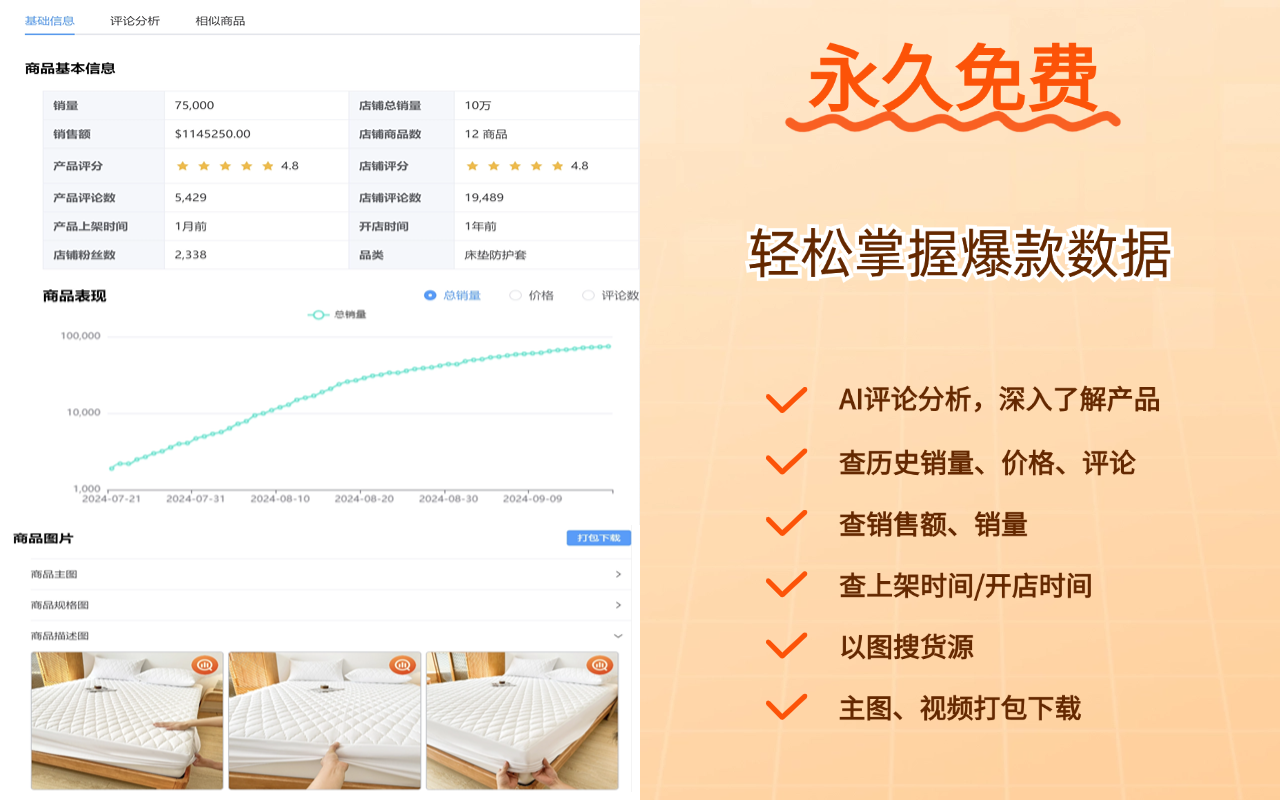
A free Temu product analysis extension for sellers. Analyze list and category products in batches, then explore similar products, search suppliers by image, analyze and download reviews, and save product images.
Connect product discovery, research, and sourcing in one workflow
Every capability below comes from the extension’s public Chrome Web Store description and focuses on seller research, supplier discovery, and content organization.
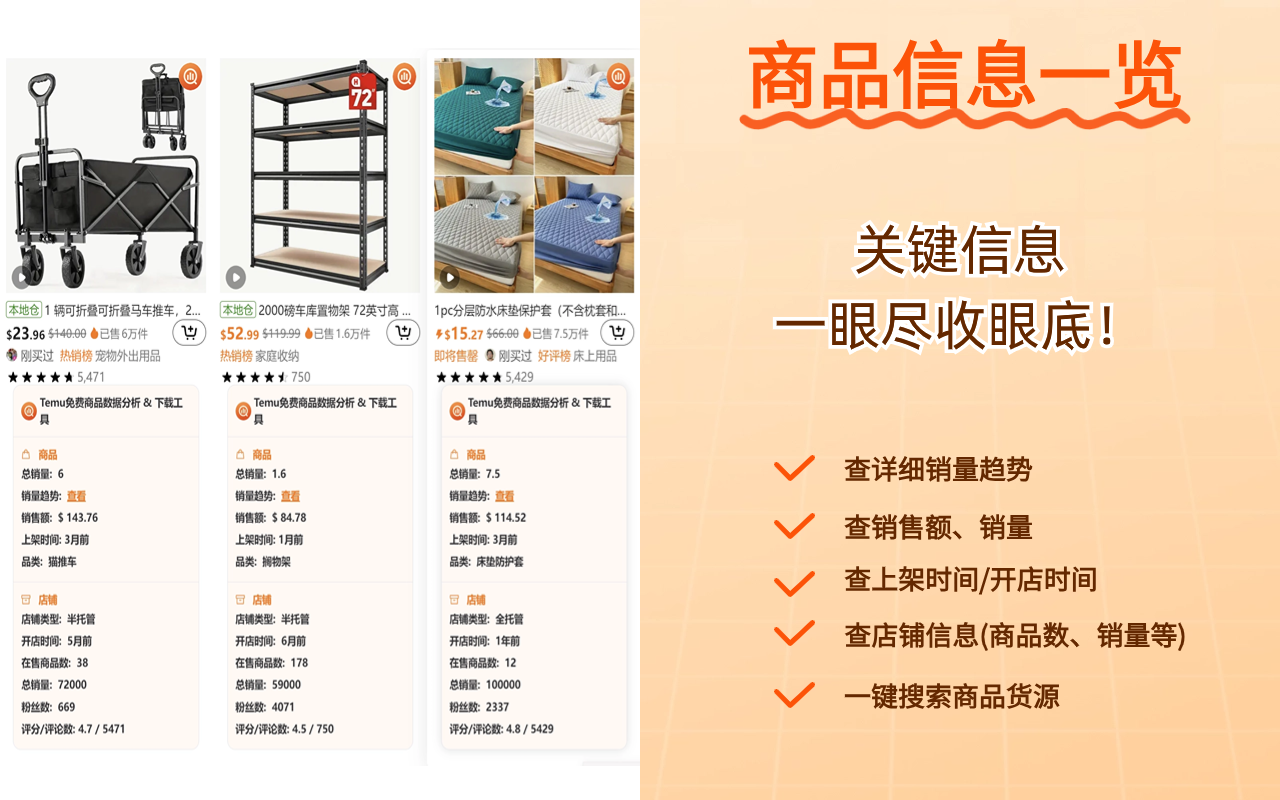
Batch list and category analysis
Review products across Temu lists and categories without opening every item one by one.
Discover similar products
Continue from the current item to related products and expand your competitive research set.
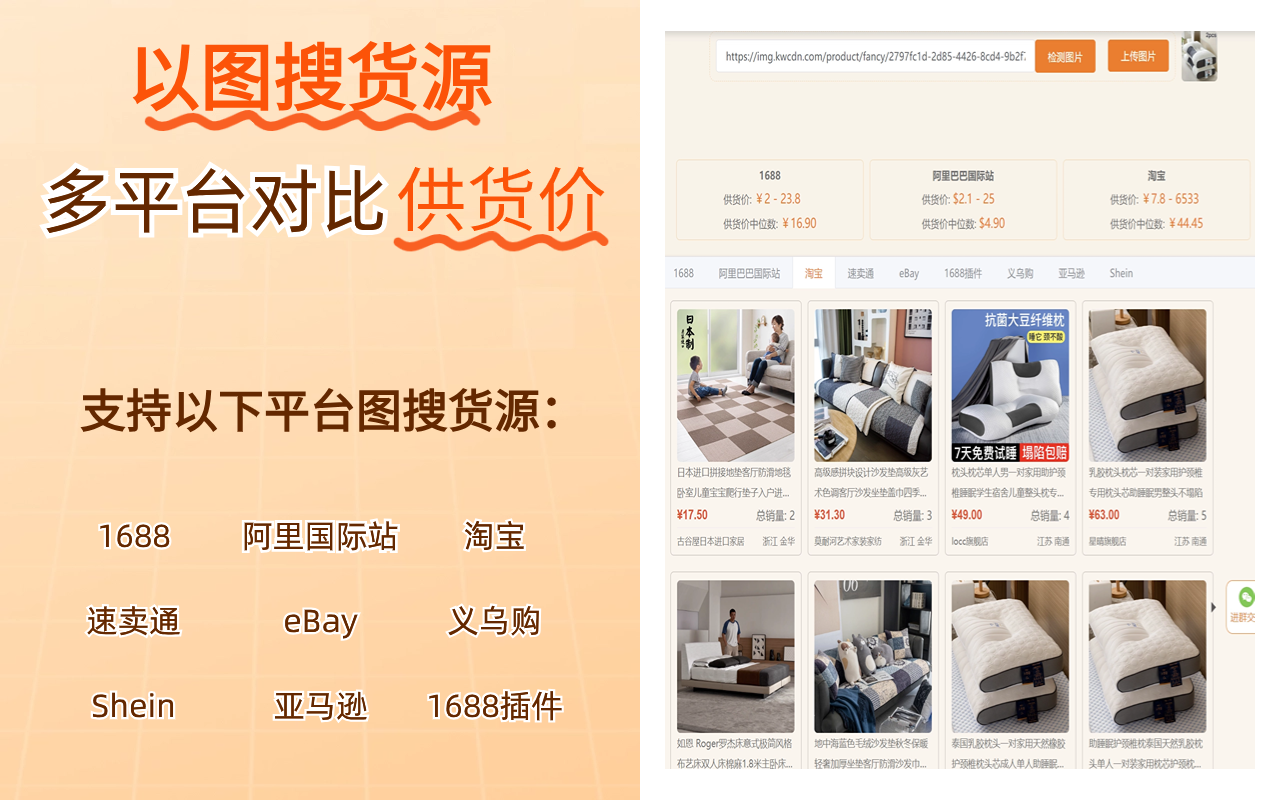
Search suppliers by image
Use a product image to continue supplier research and connect storefront discovery with sourcing.
Review analysis and downloads
Organize product review information and download it when needed for further research.
Product image downloads
Save the images needed during product research without repeatedly copying links or saving files one by one.
One connected research flow
Keep analysis, similar-product discovery, sourcing, reviews, and images close to your browsing workflow.
Start Temu product analysis in three steps
Keep your normal browsing routine. Install the extension and open a supported Temu page.
Choose an installation option
Install the latest version from the Chrome Web Store, Microsoft Edge Add-ons, or the local package.
Open a Temu list or category
Browse as usual. The extension adds relevant actions on supported Temu pages.
Analyze and continue your workflow
Use batch analysis, similar products, image supplier search, reviews, or image downloads for the task at hand.
Reduce tab switching across frequent product research tasks
Built for Temu sellers and researchers who regularly review products, compare competitors, and continue into supplier discovery.
List and category research
Review more list and category products to build a broader set of product opportunities.
Competitor and review research
Use similar products and reviews to expand competitive context and understand market feedback.
Supplier and content organization
Continue from product images into supplier search and save images needed for internal research.
About the Temu product analysis extension
Review supported capabilities, pages, and browsers before installing.
View Installation GuideSpend less time switching tools during Temu product research
Install the free extension and connect analysis, sourcing, reviews, and image workflows while browsing Temu.